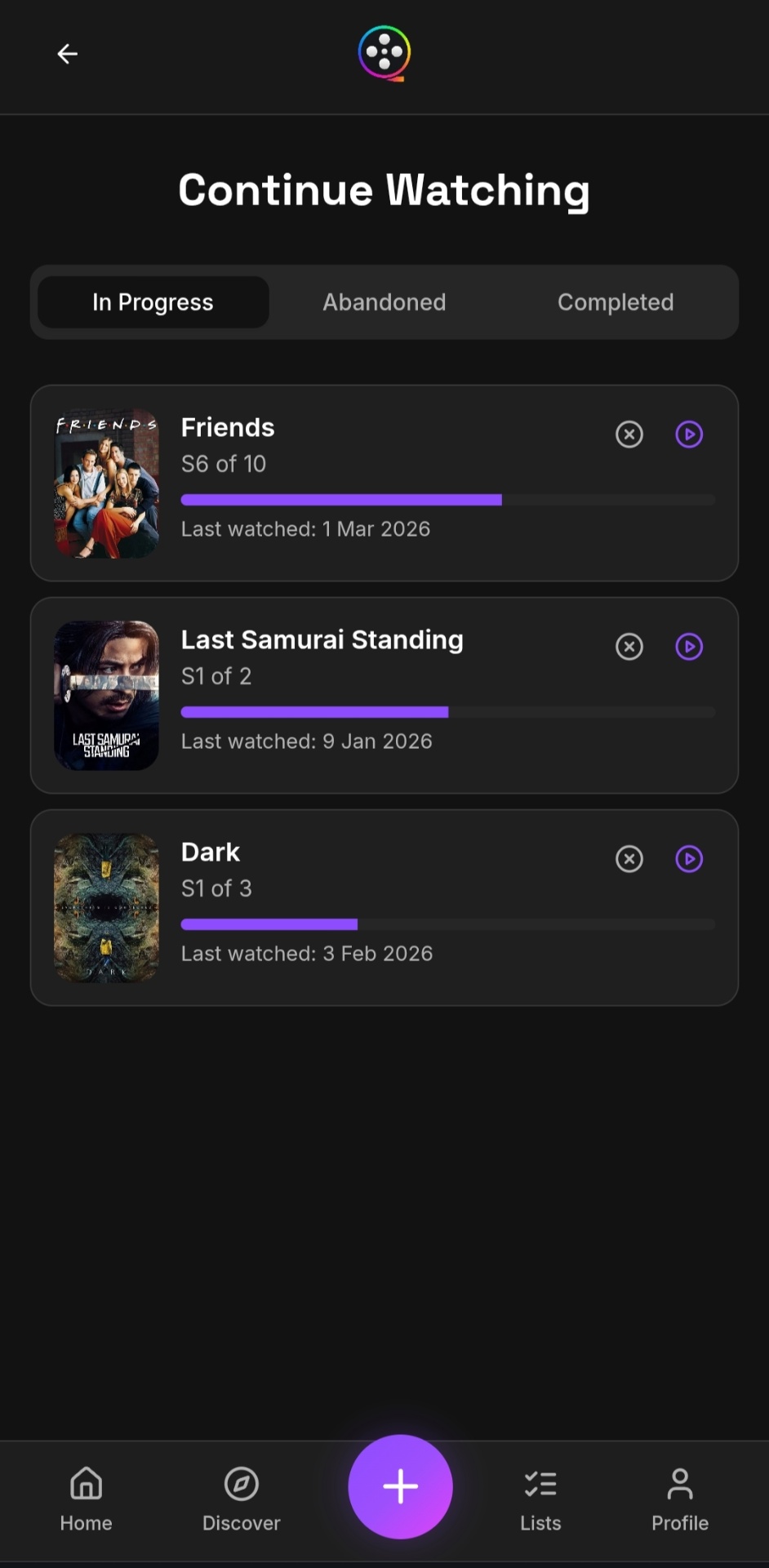
Keeping up with long-running TV series is harder than it sounds. Here's how to track your progress season by season and never lose your place.
TV series are a different beast from movies. A series can stretch across years, with gaps between seasons where you forget where you left off. If you're watching multiple shows at once – or tracking them with friends – things get messy fast.
The Problem With Most Trackers. Most movie trackers treat series as a single entry – you mark it as "watched" or "watching" and that's it. But that doesn't capture the reality of watching a show over months or years. Which season did you stop at? Did the quality drop off?
Season-by-Season Progress. A better approach tracks each season individually. Rate each season separately, see how many are left, and mark when you completed each one. This gives you a real timeline of your journey through a series.
Continue Watching. A "continue watching" view keeps in-progress series front and center. Instead of scrolling through your entire log, get a focused list with progress bars showing how far along you are.
Abandoning a Series. Not every series deserves a finish. Being able to mark a series as "abandoned" keeps your continue watching list clean and honest. It's also interesting to look back and see which shows you gave up on – and at which season.
The Series Journey. Over time, your season completions build a timeline showing how long you typically wait between seasons, which shows you binged through quickly, and which ones took months to finish.